| |
|
Scheduled Preventive Maintenance
Scheduled maintenance is setup in two ways, calendar dates and runtime hours (RFCMMS MiddleWare module required). Using the module to the right allows you to schedule your preventive maintenance on actual runtime hours. This is more efficient when assets hours are reduced due to production needs. Time between lubrication and scheduled parts replacement are better scheduled based on machine runtime hours.
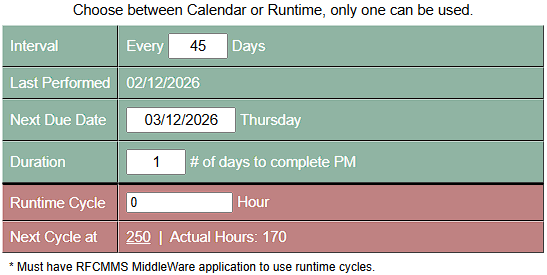
This system is setup to auto-generate work orders based on calendar or runtime hours or manually generate a work order from the upcoming PMs area. From our frustrations, we have had many times where the calendar schedule did not match the hours of use. Other CMMS systems tie your hands for rescheduling and force you to process the work order. This creates bad data and creates corrupted history that you cannot rely on. Our system allows you to choose between auto-genrate or manual.
|
|
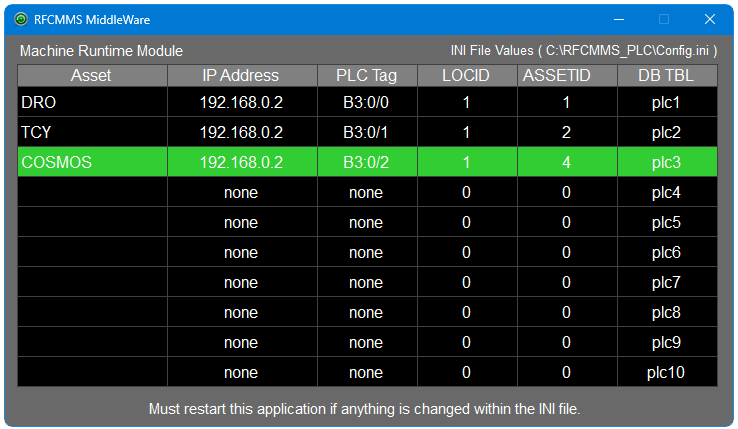
Learn more about RFCMMS MiddleWare here or click the link to the upper left. |
|
| |
| This system uses a list view with a forward look at what Scheduled PMs are coming up and allows you the freedom to reschedule or convert to work order. If converted to work order was made by mistake, simply remove the required items within the work order and delete the work order. The original scheduled PM will automatically load itself into the upcoming list view with no changes made. |
| |
 |
| |
Create a W/O Feature
When there is a part or issue that requires replacement of items related to a scheduled PM, it is necessary to move up the schedule. The below PM is for replacing Transfer Shafts on a calendar based schedule whether they failed or not. History shows the bearings for these shafts wear out after a year and a half. To prevent production downtime, a scheduled replacement is done. When a bearing fails before the next scheduled replacement, it is best to generate a work order from here so when the operation is completed, a new scheduled date is generated and is recorded for history. |
| |
Duplicate This PM Feature
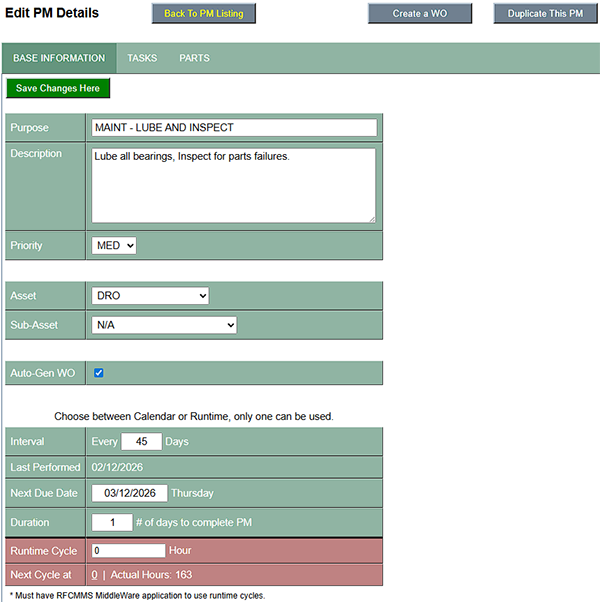
Many times, especially when there are more than one sub-assets that are the same but different schedule, reentering the tasks and parts required is inconvenient. Creating the first PM with all required details and then duplicating the PM makes life simple. The only thing that needs to be set in the duplicated PM is when you want the schedule to start (Next Due Date). |
| |
| Setup Base Information |
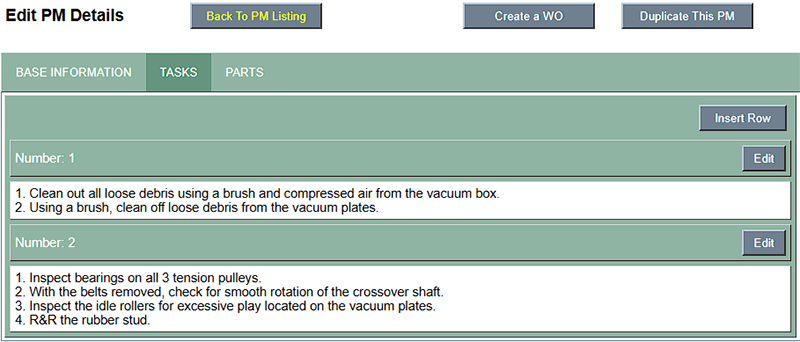
Setup Required Tasks |
 |
 |
|
| |
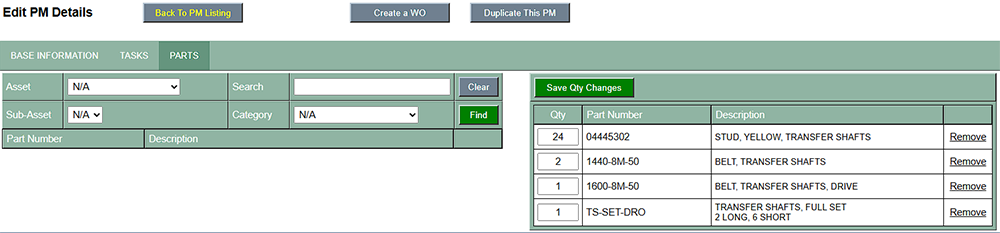
| Added Required Replacement Parts |
 |
| |